To import your data from your Interactive Brokers account (or from an Interactive Brokers Advisor like ProRealTime, MEXEM, Zone Bourse, etc.), you’ll need to generate and import an annual activity statement.
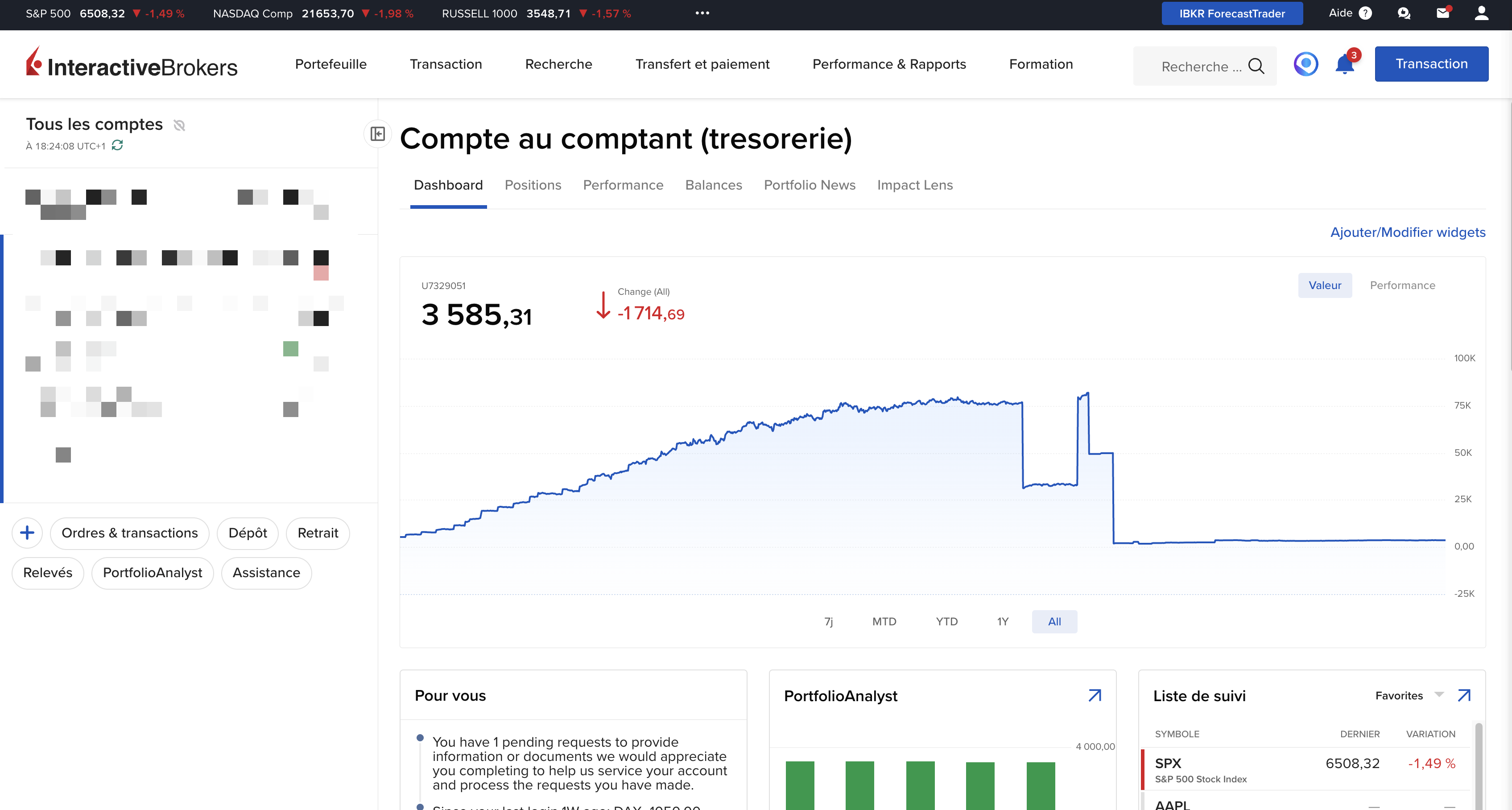
Go to your client area from the “Client Portal” which should look like this:
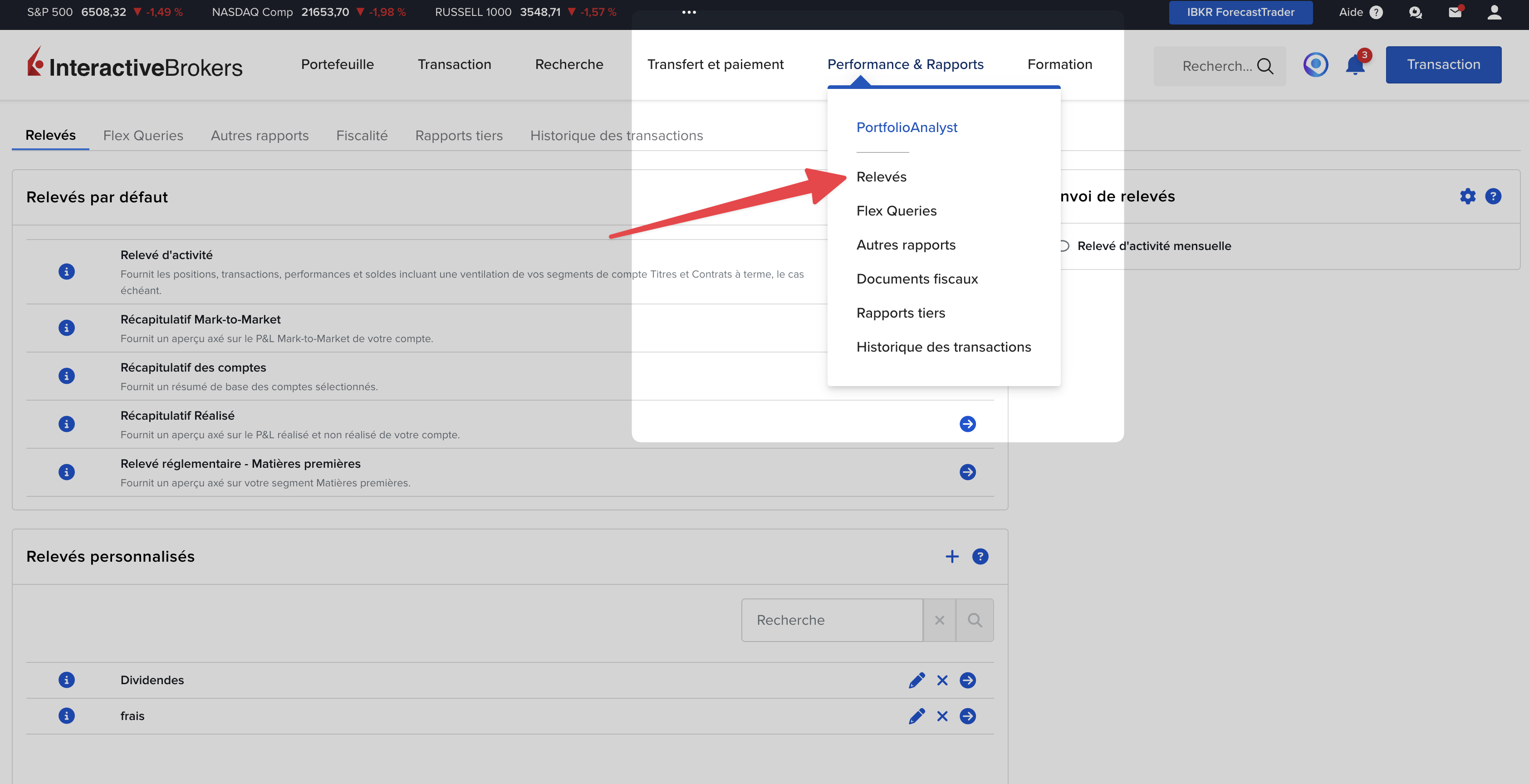
Click on “Performance & Reports” > “Statements” > “Statements” tab

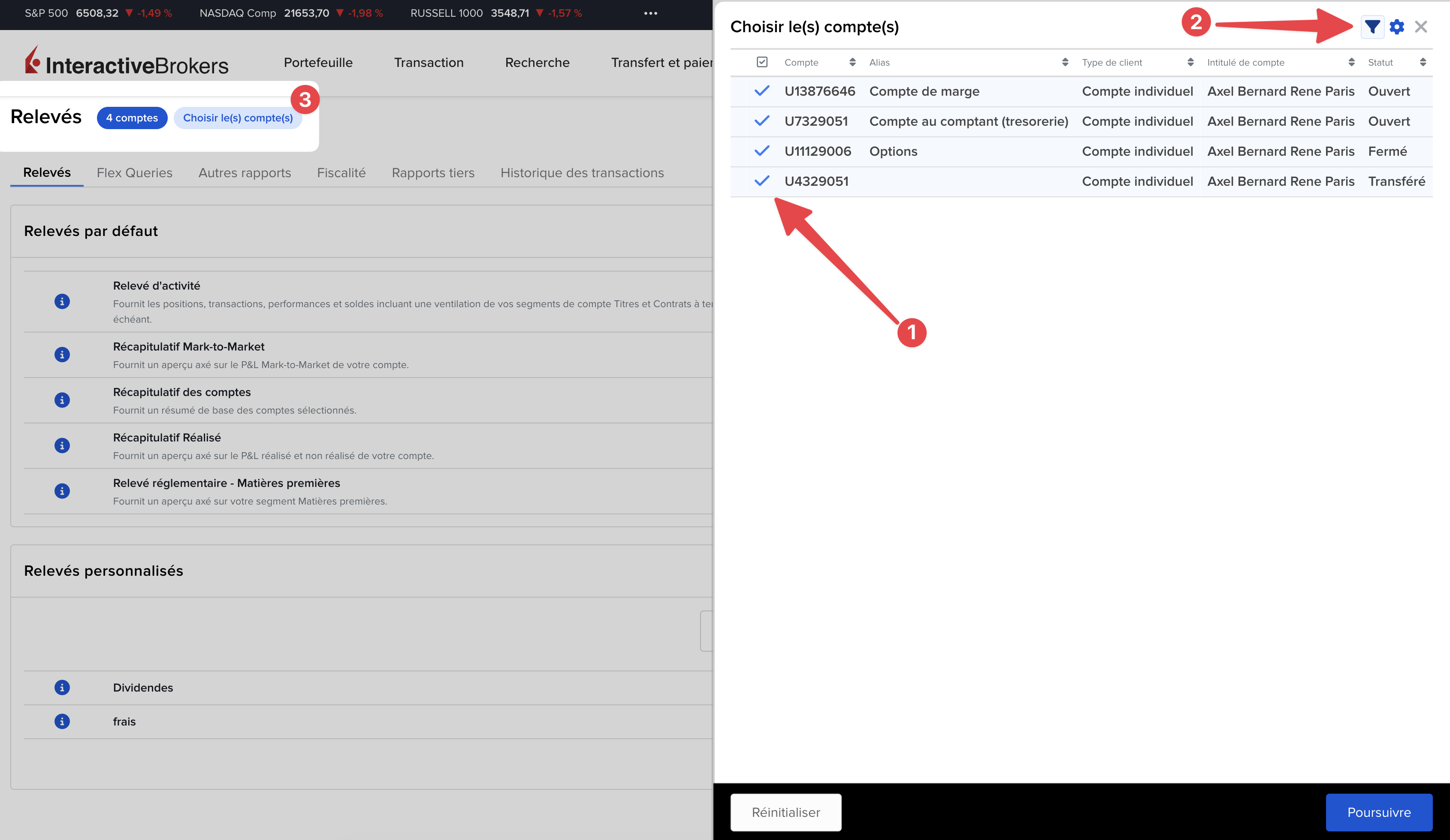
Once the accounts are selected, click on "Continue".
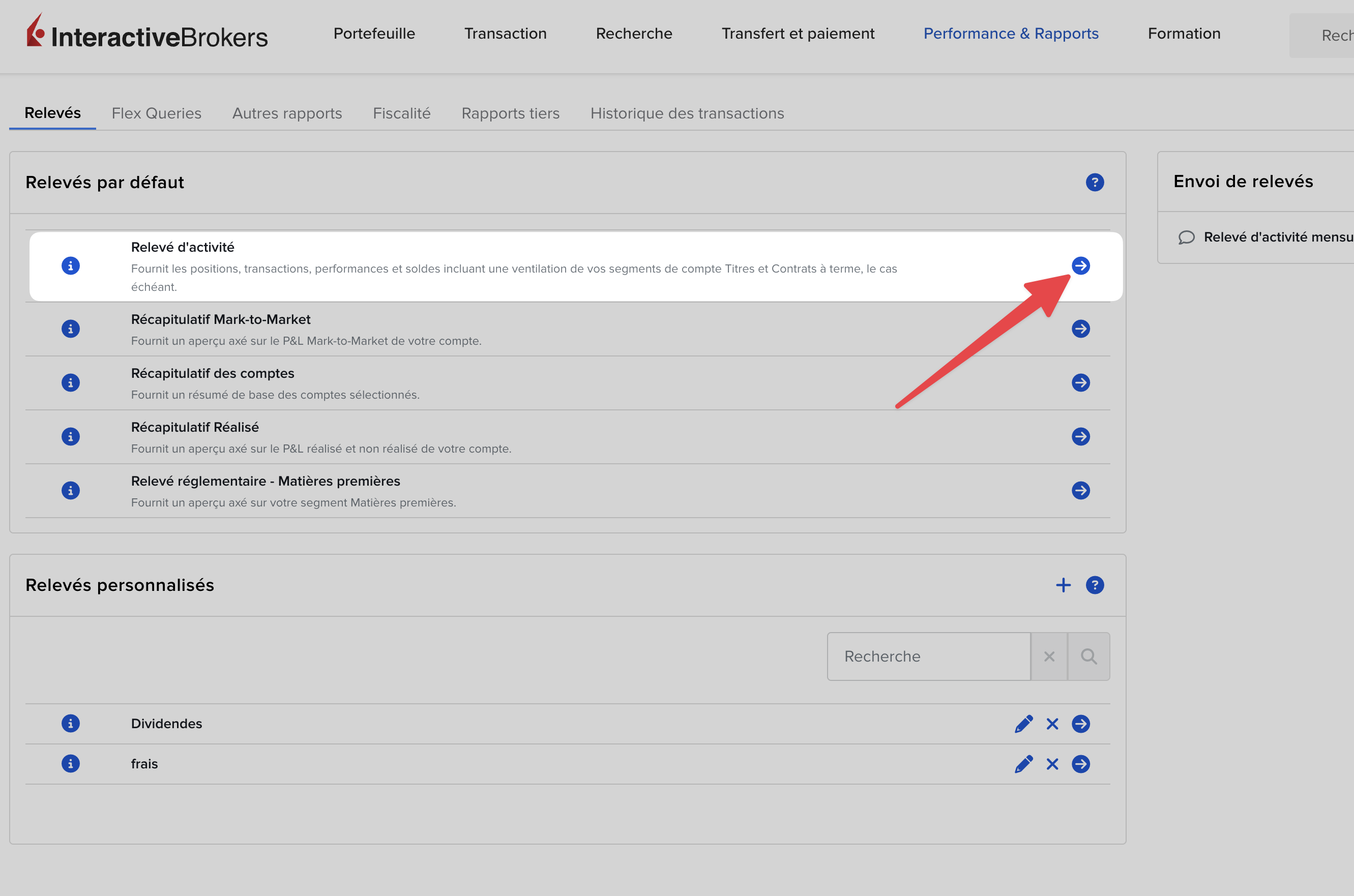
Click on the blue arrow in front of “Relevé d’activité”
A popup will open and you’ll need to select:
Period: Annual (or “Annual” in English)
Date: The year of the income concerned (for example, for the 2026 tax return on 2025 income → select 2025)
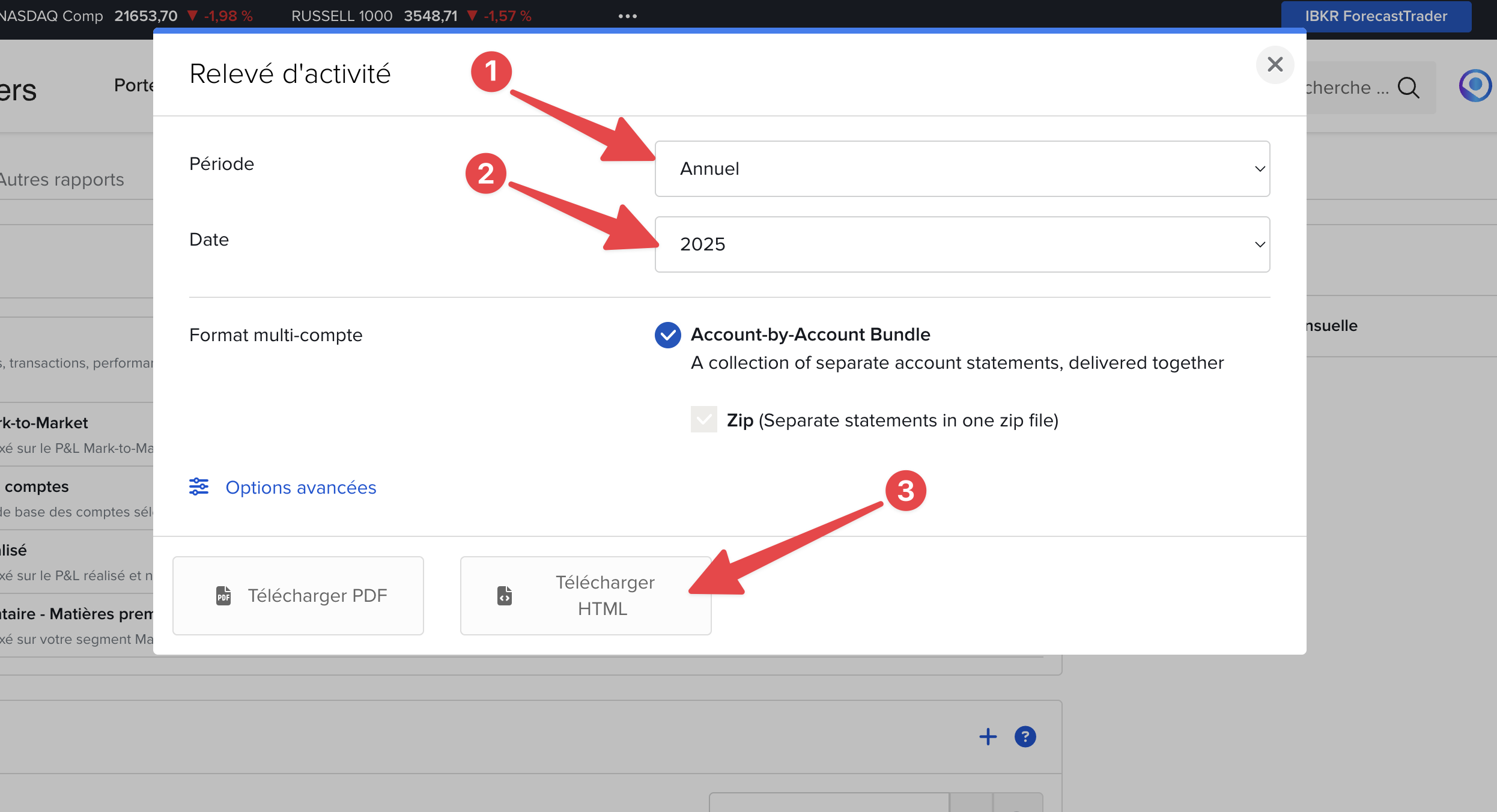
Then click on “Download HTML”.
The file will be downloaded in one of the following formats:
.html
.zip (example: Annuals.2025.zip)

Go back to FlashFiscal then upload your file 

