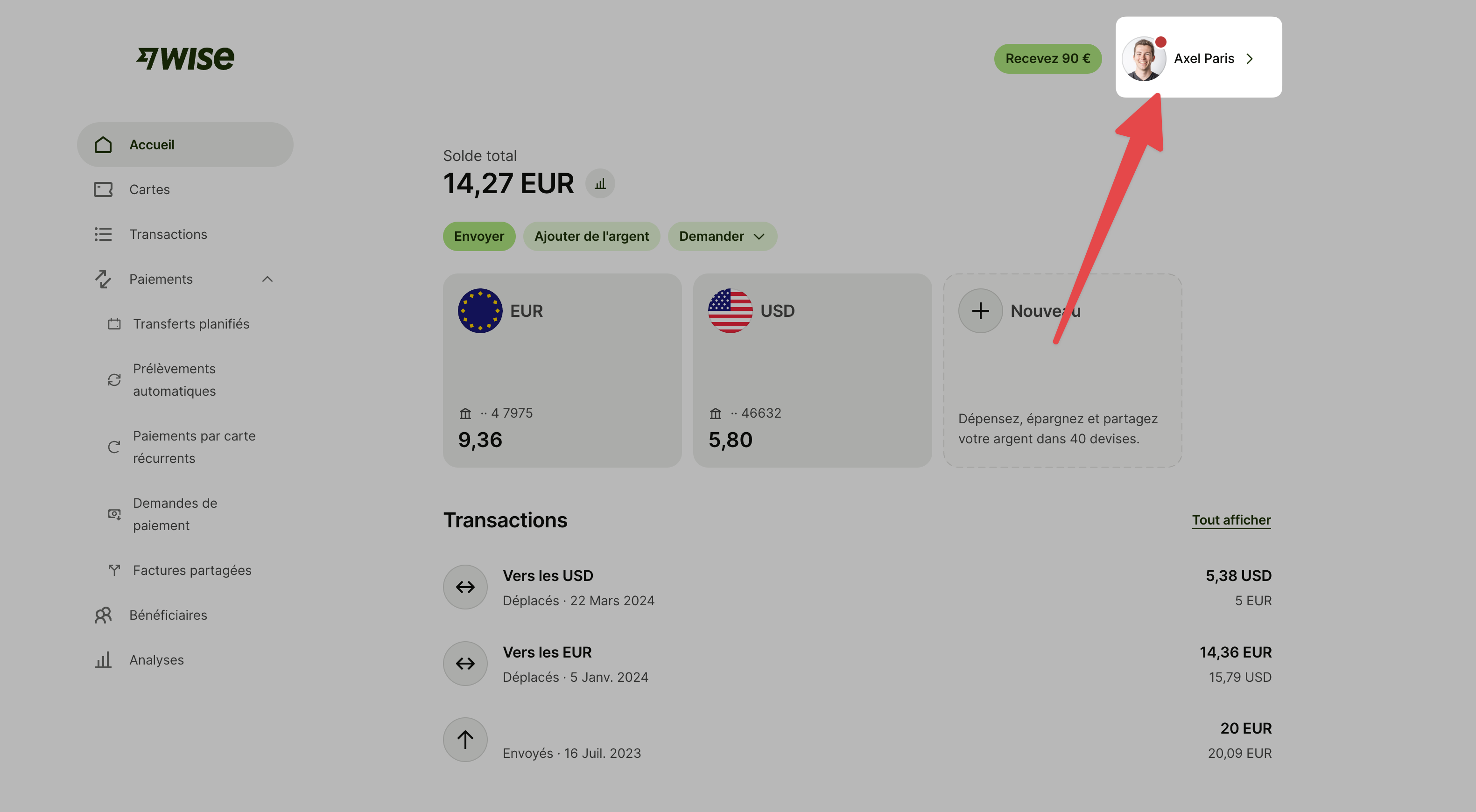
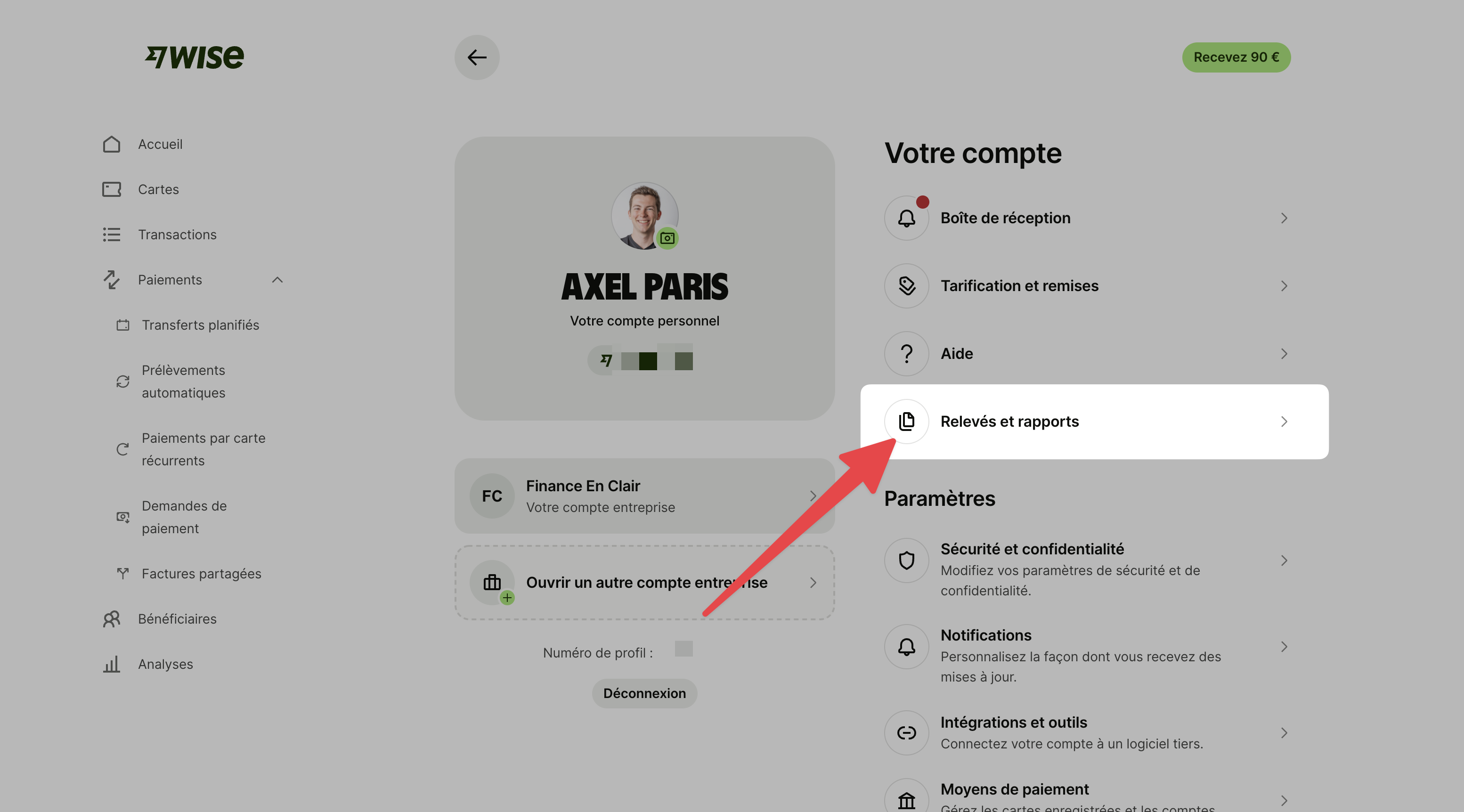
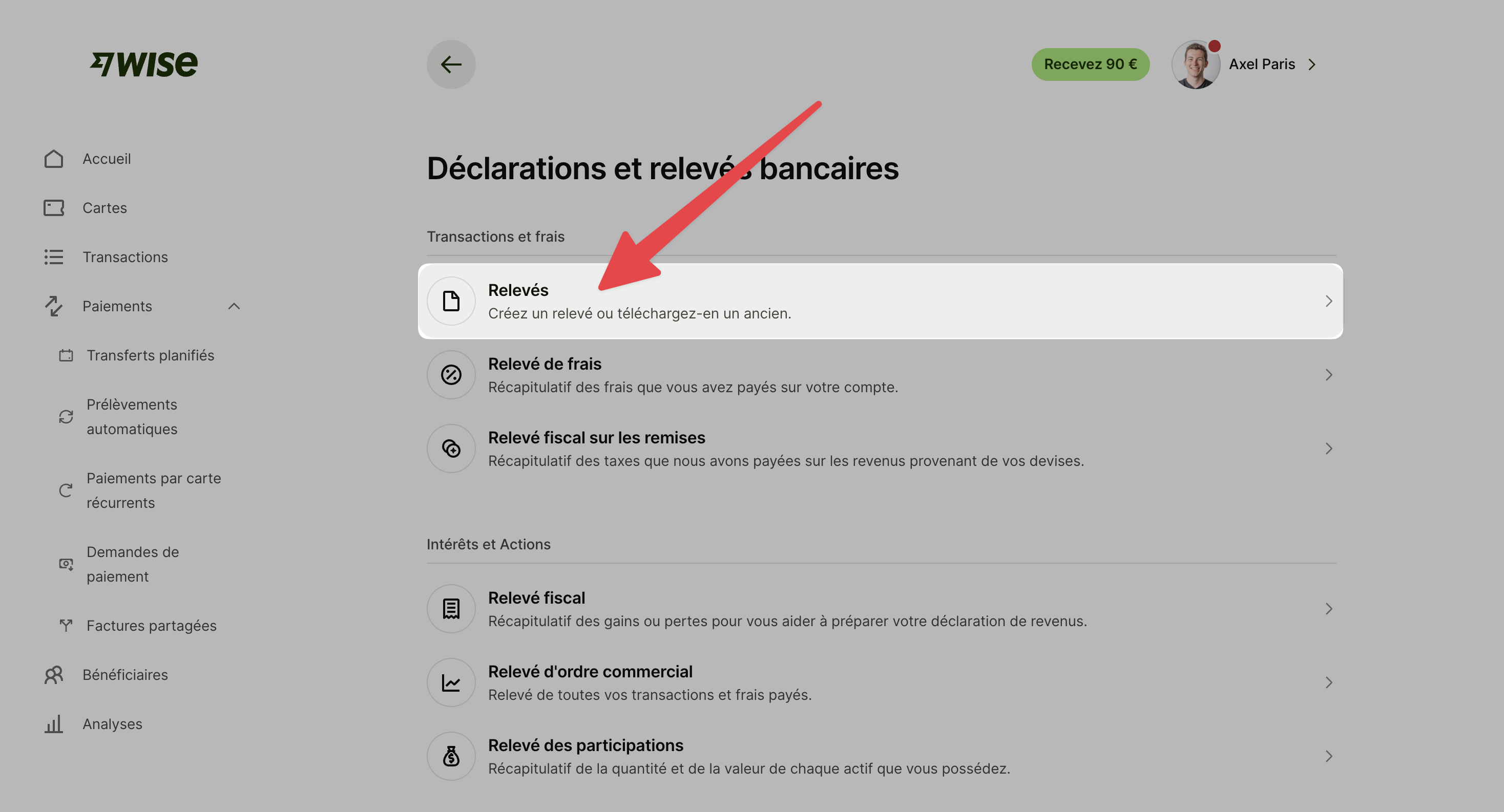
Go to the "Create a statement" page using this link: https://wise.com/balances/statements/balance-statement/create?referrer=%2Fyour-account (or follow the steps with these screenshots)
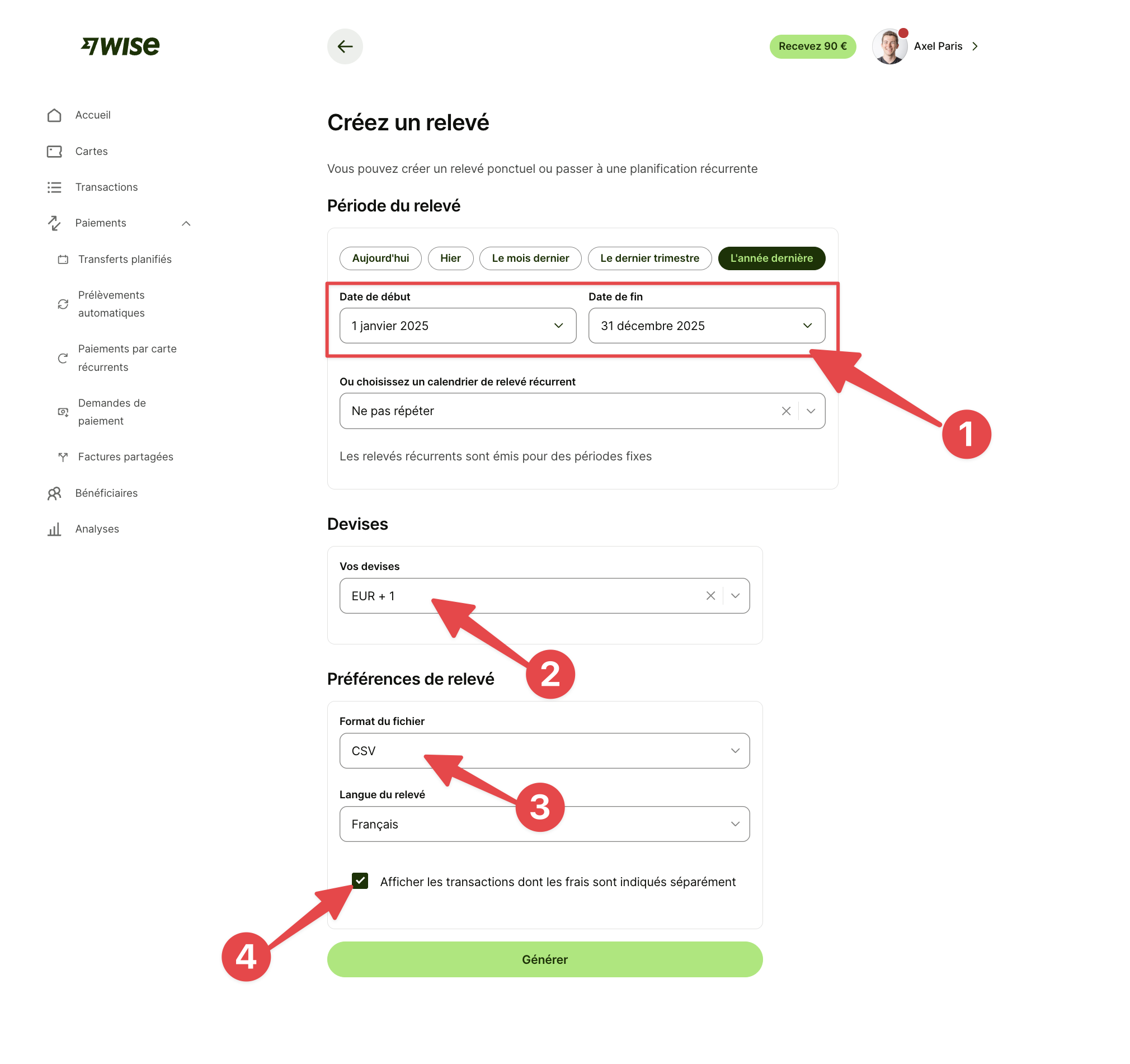
On the statement creation page:
(1) Select the dates for the relevant fiscal year (e.g. to file your 2026 tax return on 2025 income, pick from 01/01/2025 to 31/12/2025).
(2) Select all your currencies
(3) Select the CSV format
(4) Tick the box "Show transactions with fees listed separately"
Then click on "Generate" ✅